Showing posts with label Powerpoint. Show all posts

Monday, 12 November 2012

Creating Flash Educational Games For Your Class Using PowerPoint

Children learn better by using the language they are taught, this cannot be stated enough times. How do we make that happen though? In a classroom there are limited chances of creating ideal conditions during which this can be achieved. As ESL teachers in my country, we face limitations of time, space, budget and occasionally student reluctance. Our students are overwhelmed, stressed and even hesitant to take up an activity that is new to them. During my lessons I realised that though young children are showing surprising resistance to new types of tasks within a typical lesson, they took really well to interactive ESL Games we play online. I would give them an exercise in Simple Present and Present Continuous and they would moan and groan while doing it, but if it came to playing Grammar Ninja they would be bouncing off the walls. This is how this idea was born. Why not use my Powerpoint skills to make them an tailored interactive game ? After a relatively long Internet research, I realised that there were many teachers doing the same thing; creating their own interactive games using their own materials. So I started slowly and reluctantly building my first game. I started with a plain PowerPoint Internet template, which I customised to my taste. I created a main menu slide and then linked the question and answer slides between them, to create feedback. 

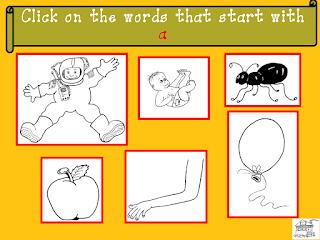
When I finished my game I saved it as a PowerPoint Show file and used it only for my classrooms, carrying it in my USB. That was way before I created my blog, and it was fine for me to use the games in class as a consolidation exercise. However, I started thinking that it would be great if my students could spend a few minutes working on this material on their own free time from home. How could I make this material available to them anytime, anyplace? So I decided to make a game that I would post online for them to play at any time. This is how the Alphabet Matching Game was born and I have to admit it took my a few months before I was able to successfully post it online. I used a PowerPoint Plug In called iSpring Free to turn it into a SWF file and then spent numerous hours online until I came up with a tutorial on how to post SWF files on Blogger. I finally managed to post it by uploading it to Google sites and using the link provided. If any of you needs a detailed tutorial just drop me a line and I will post one. 

This is my second "game" working on letter recognition and Lower and Upper Case association.
I really hope you like it because I spent countless hours on it!! 

Graphic to display if Flash Player is not available.

Saturday, 10 November 2012

Free Online Alphabet Matching Game


Alphabet Matching Game
Free Online interactive game made using PowerPoint


It took me a while but I finally made it! I originally used PowerPoint to make the Presentation, then I saved it as an SWF file. I hope you like it! 

Click on the Start button to enter the game. Once you are in the letter sellection slide, choose a letter to complete the task. To go back to the letter sellection slide, click either on the house image on the bottom right hand corner of the slide, or on the instructions box

Graphic to display if Flash Player is not available.

Sunday, 2 September 2012

Student Poetry Projects Using Powerpoint - Εργασίες Μαθητών της Έκτης Δημοτικού της Σχολής Χιλλ.


Don't you just love it when your students take initiative and transform what you have given them into something of their own? 
 I was trying to go through my last year's materials, in order to tidy up my messy computer, when I came up with projects made by my 6th Grade students. It all started when I made PowerPoint presentations of their grammar poems, which the students loved. Some of them were acquainted with the use of technology and offered to make presentations of their own. I have included three of the presentations that they made, and I must admit I am really proud of the work they have done. I have more Student Projects in one of the computers at school, which I am going to include in a later post. I hope you like them as much as I do. This is what happens when children try something off the beaten track. 

  • The first presentation is contributed by Irene M. (12 years old.) It was presented during our Earth Day celebration. 


  • One more presentation by Irene M. 


The last presentation of the day belongs to Kostis G. (12 years old) 


I am looking forward to this new school years projects. I am sure my new students will amaze me as always. 


Thursday, 28 June 2012

Using Authentic Materials To Teach About Conflict - Συνέντευξη στη Σχολή Χιλλ!


  • How many times have you had project ideas that sounded great in your head, but when you tried to put them into practice they were impossible to complete? As a relatively new teacher it happens to me quite a lot. The project that follows was made possible through careful planning and a series of fortunate events. The people that I worked with really made the difference. For once everything fell into place in Teacher Universe. 

1. An idea is born
It all begun while I was thinking about the originality of the materials we teach in ELT. I mean that in theory the materials should be as realistic and authentic as possible, but this is not always feasible. There are a number of constraints when it comes to that, mainly the accessibilitylevel of difficulty and modification of the material in order to be suitable for young children. This year one of the writing tasks our students had to submit was an interview. Throughout the years we ask our students to interview someone they know, a neighbour with an exciting profession or someone they love or admire very much. There is no harm in that, but why not give our children the opportunity to meet people with an exciting story to tell and let them find out on their own about it?  Why teach when you can show? What is more authentic than that? So after discussing it with my colleagues, we decided it would be a great idea to invite someone to school to talk to the children about their unique experience.

2. Topic 

  • The next issue I faced was the topic of the discussion, which would be directly related to the person we would invite. Though I know many people that think outside the box and have extraordinary tales to tell, not all people have the ability to convey that to the children, especially if the topic is sensitive. The topic I had in mind was conflict in societies both in national and international levels, more specifically war situations and their effect on children.  Our country is going through a difficult phase right now. We need to support our children through this, highlight the importance of tolerance, solidarity to the ones in need and speaking out for the ones that can't speak for themselves. That narrowed down the list of interviewees greatly. Then it came to me. There was one person I knew that could be just right. His name is Stavros Xatzopoulos and he is the lead singer of the Greek band  Deus ex Machina. They have given numerous concerts for charity and participated in anti-war campaigns and anti-racist festivals both in Greece as well as abroad. During the war in former Yugoslavia, and while I was too young to even vote, they toured Serbia in a series of charity concerts and visited Skopje. Maybe he could help. So I threw the idea his way and he willingly agreed, which is something I thank him for. 

3. Preparation

  • Believe it or not the next step of the project was the difficult one. Informing the children about one of the worst wars our "neighbourhood" has seen, without taking sides, giving out the facts without being too gory, was the most difficult part for me. Especially with young children a picture speaks a thousand words, so made them a PowerPoint video summing up the most important facts about that war. I made the video for my classroom use only, the thought of this blog wasn't born yet, so I used photos from the internet, unfortunately without keeping a link record. The video that follows was NOT made for commercial use but for educational purposes solely. However, if you find photos that belong to you and don't want me to include them please contact me and I will gladly take them down. What is more I will be glad to add links and citation if only I had them.


  • After watching the video the children in groups wrote down the questions we would ask Stavros. I used this activity to revise Simple Past and Present Perfect, which where what we had been working on during the past month. This is the list of questions they came up with.


4. Implementation

  • The interview took place one Thursday morning in our school and we all had a lot of fun. The children were intrigued and engaged in the conversation. Our guest answered our questions with sensitivity and simplicity.

5. Follow up
  • The project did not end here. The following week the children had to produce short article based on the interview. We made  thank you cards to our guest and anti - war posters. In the months that followed some children produced poems that were directly related to the conversation we had with Stavros.The best thing is that they were not even asked to do so. This shows that the effect of the conversation was profound and long lasting.

  • I had a lot of fun designing and implementing this project. I would repeat it in a heartbeat. It is not always easy to open up your classroom to the outside world. However, we have to teach in relation to the real world, not an ideal airtight bubble that exposes our children to filtered stimuli. Our children are smart, can pass judgement and can tell between people that are original and true and people that are self-absorbed and fake. So choose your people carefully, bring them in and let your students do the rest. It is totally worth it


Hill students write a thank you card to our guest!
Οι μαθητές της Σχολής Χιλλ
ευχαριστούν τον καλεσμένο μας!


Έκθεση μαθητή της έκτης δημοτικού της
σχολής Χιλλ, με θέμα τη συνέντευξη. 


Έκθεση μαθήτριας της Σχολής Χιλλ με θέμα
τη συνέντευξη.  


Part of the "thank you" booklet
 we made for our guest!
Μέρος του ευχαριστήριου βιβλίου
που έφτιαξαν οι μαθητές της έκτης
δημοτικού της Σχολής Χιλλ.  


Αντιπολεμικό ποίημα
μαθήτριας της Σχολής Χιλλ.


Αντιπολεμικό ποίημα, μαθητής της
 6ης δημοτικού της Σχολής Χιλλ.
Antiwar poem by Hill School
 6th Grade student. 


Tuesday, 29 May 2012

Poetry Club: New Poetry Video - Νέο ποίημα από το English Poetry Club της Σχολής Χιλλ!

It has been a very busy and prolific year for our 6th Grade Poetry Club. This is the last video of the year, now my students have one each. These videos are also part of my goodbye gift to them, a PowerPoint Show including pictures, their videos, projects, and of course their Year Book. Stay tuned for more. 

Saying Goodbye: End of Year Powerpoints

I have found a valuable teacher helper in PowerPoint, especially since we got interactive whiteboards in our school. I have used it  for presentations,obviously, but also to make interactive board games, even to make the poetry videos for our Poetry Club. The ways that one can use PowerPoint are endless, one may even say that it has become obsolete by now, however I find the possibilities it offers intriguing. This year I have used PowerPoint to make interactive goodbye gifts for my classes. In this post I will try to explain how. 

To begin with, you need a version of PowerPoint, it doesn't have to be the latest one. You will also need a template that you can find online. I used one from fppt.com. Then I used text boxes to create my first slide menu. Here is what it looks like:

First slide: Our Class

OUR PHOTOS SECTION
Then, I made a second slide containing all the students' names. Using a hyperlink I connected it to the first slide. Then I went back to the First Slide and using again a hyperlink I connected the "Our Photos" text box to the Second Slide. I have changed the student names in the photo that follows. 
Second Slide: Our Class Photos
(linked to 1st Slide)

Afterwards, I made twelve slides, one for each child, to contain a collage of their photographs. Each  page was then linked to the second slide. Each text box with the child's name was linked to the child's page. So when you click on M******'s box, it takes you to his personal photo page, and back to the main Our Class Photos page. For the photo collages I used a free photo collage maker that I found online.  Here is what their photo collages look like:

And here is what a child's personal page looks like:
Sample Personal Page. Each child
has its own photo page,
which is linked to the
second slide: Our Photos.

Clicking on the name takes you back to the second slide: Our Class Photos. Clicking on the tiny house picture on the bottom right-hand corner takes you back to the main menu, the first slide. 

ALL ABOUT US SECTION 
For this section I used a freebie from Teachers Pay Teachers, which the children filled in. I found it through the following blog:
Once the children filled the handout in, I scanned it and using a flipbook maker, I turned it into a flipbook, which I embedded in the PowerPoint presentation. 

OUR POEMS SECTION
When you click on the Our Poems tab on the first slide, you are taken to the page below.Each box contains the name of one of my students. Each box is also a link to the child's poem page. 
This slide is linked to
the first one.
It contains links to the
children's poem pages. 

There are twelve Poem pages all linked back to the above slide. This is what they look like:
Personal Poem page.
Linked to the
 "Our Poems" Page. 
The headline is a link to the "Our Poems" page. 

OUR BOOKS SECTION
In this section I have included projects that the children have done based on the books we read together this year. Clicking on the "Our Books" tab on the first slide takes you to the following page:

Each photo is a link to a Flash Flipbook containing the children's work.

GALLERY SECTION 


Clicking on the Gallery cloud on the first slide takes you to this page. Here I have included a Flash photo flipbook, containing photos, projects, games in an exe file. It also contains video presentations of the children's work. 
The final product resembles a DVD menu. 


You might also like:

Saturday, 12 May 2012

Poetry Club: New Poem Videos

Summer is upon us and that means that we have  two things coming up: holidays and above all graduation. I have been rather busy preparing my 6th graders' goodbye activities and gifts, but I don't want to spoil the surprise, so I haven't posted anything. As things are coming to an end I will start posting the Power Points and Flipbooks I have prepared for them. For now I am sharing the two latest Power Points I made for two of my students. They are based on Kipling's poem If. I hope you like them. 


Saturday, 10 March 2012

Poetry Club - Λέσχη Ποίησης στο μάθημα των αγγλικών της Σχολής Χιλλ!


  • Poetry club


Creative tasks help students realise that learning a foreign language is more than tests and grades. It is mainly about communication and passing on our message to the world. The more autonomous a class is, the more creative you can become with your students. I have found that such tasks promote motivation which is an integral part of the learning process.

  • Poetry as a way to teach a foreign language.
It has been argued by many linguists that poetry can promote learning. It provides a medium through which children can use grammar structures in a non –threatening, creative way, in order to express thoughts and feelings. It helps them personalise knowledge through expression.  I have been running the Poetry Club in my more advanced classes for a couple of years now and the results have been amazing. I have found that it assists students gain confidence in the target language.

  • All one needs to teach Grammar poetry, as I like to call it is a poem template. You can find hundreds on line. Here follow some examples of poems my 6th grade students wrote in the beginning of the year. 


Cinquain type


Winter

Winter
Coming with snow and rain
In our country
In one month time
Covering the blue sky with grey clouds.

By Alkeos V. 


         Five senses poem

       Loneliness

       Loneliness looks like a black sky
       Loneliness smells like an old love
       Loneliness feels like a lost house
       Loneliness sounds like a sad song
       Loneliness tastes like a black tear.

       By Marina K. 

  • As our knowledge of grammar became more profound, so did our writing. We started exploring notions and ideas, rather than objects. Here follows an example of anti-war poems written by the same class a couple of months ago. 


     Earth

    Earth
    Home of life
    Fan of ecology
    Who loves humans
    But hates them too
    Who fears the End
    Who believes in changes
    Who expects that her seas will be cleaned
    Who wishes that ozone hole won’t get bigger
    Blue planet

    Friendship and trust
    (A wh- poem)

    Friendship and trust
    Helping each other
    In a world of fighting
    When most people are angry
    Because we still have hope

    By Zoe K. 

  • Once the creative juices started flowing there was no way back... 
  • We made posters of our work and I even spent some time making small videos of it. They really loved it. For obvious reasons I have removed the student's real name from the video below. 


  • Last week we "published" our first Poetry Collection.The young poets are now preparing for our first Poetry Night. 
    Click here to view the Poetry Collection cover.